![money-over-50-logo.png]](https://www.mo50.com.au/hs-fs/hubfs/Logo/money-over-50-logo.png?height=50&name=money-over-50-logo.png)
Money Over 50 Financial Advisers
Australian Financial Services Licensee
Licence Number 471826
ABN 26 146 225 505
To be able to efficiently and effectively provide our service to you, we need to ask you for some important personal information that we will treat with the utmost security and privacy:
Your Tax File Number "TFN". Your TFN will be used to provide to your superannuation fund/s and/or investments to avoid you being taxed at the highest marginal tax rate.
Tax File Number ("TFN"). The Income Tax Assessment Act 1936 (Cth), Taxation Administration Act 1953 (Cth) and the TFN Guidelines 2011 issued under the Privacy Act 1988 (Cth) strictly regulates the collection, use, disclosure, storage, security and destruction of TFNs. Your TFN will be used for lawful purposes only to provide to your superannuation fund/s and/or investments to avoid you being taxed at the highest marginal tax rate. We may also disclose your TFN, or other relevant information, to the Australian Taxation Office to search for your lost superannuation on the Lost Members Register ("LMR") and receive the results of any search of LMR records.
You may choose not to quote your TFN, or claim an exemption; however, the highest marginal rate of tax will then be applied to your investment returns and/or tax levied from future superannuation withdrawals or rollovers. It is not an offence to not quote your TFN.
We are required by law to properly safeguard your TFN until we no longer require the information. Your TFN will be securely destroyed or permanently de-identified after we (Money Over 50 Financial Advisers Pty Ltd) no longer require it. By entering your TFN/’s you authorise the legal use of this for the reasons stated above.
Your main bank account will be linked to your superannuation fund/s and/or investments. This will allow us to process transactions on your behalf only with your written or verbal authority. Any transactions processed such as superannuation/investment contributions or withdrawals will be processed through your main bank account.
-
This account must be a transactional account (ie, able to be direct debited from).
Your identification documents. Acceptable forms of indentification are any of the following documents:
- Drivers licence. Please upload photo of front & back.
- Passport.
What are the AML/CTF regulations and Annature?
The The Anti-Money Laundering and Counter-Terrorism Financing Act 2006 "AML/CTF Act" is designed to stop criminals from disguising illegally obtained money as legitimate income. AML and KYC "Know Your Customer" regulations require us to verify your identity.
Why this matters?
Fraud prevention and identity theft: Strong ID verification protects you (individuals) by making it harder for someone to open accounts using stolen identities and makes it harder for fraudsters to use the financial system to legitimise illegally obtained money.
What is Annature?
To ensure our compliance with AML/CTF regulations, and to ensure your ID is confidentially stored and verified, we use "Annature". Annature is a secure platform used to verify your identity, obtain your TFN and bank account details, and conducts AML & CTF screening.
Annature eliminates you:
- Organising and providing certified ID to us;
- Attending our office to have your physical ID verified;
- Emailing or messaging your ID, TFN or Bank account details - which exposes your ID to being intercepted and fraudulently used.
How to complete Annature ID Verification and provide sensitive information
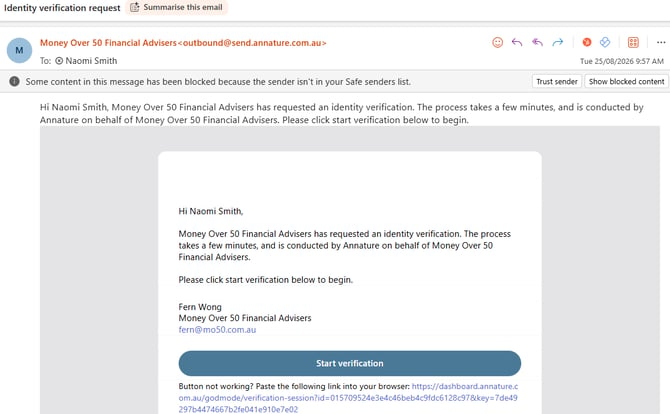
Step 1: You will receive an email from Money Over 50 Financial Advisers
- Select 'Start verification'
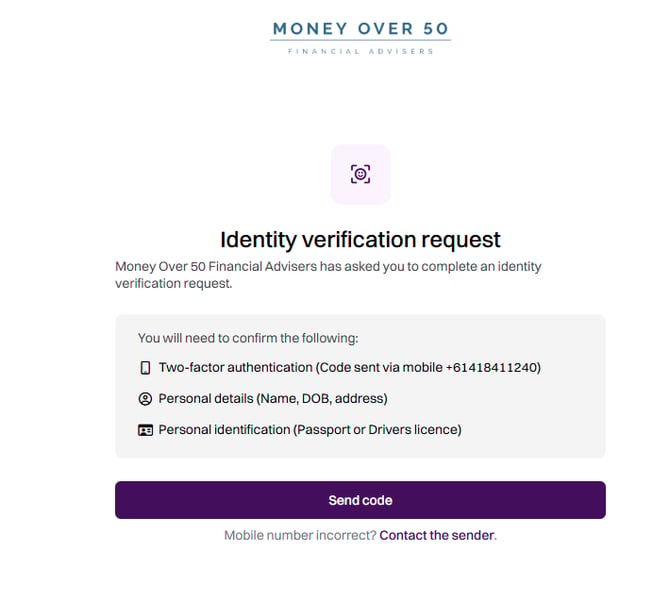
Step 2: Identity Verification Request
- Select 'Send code'
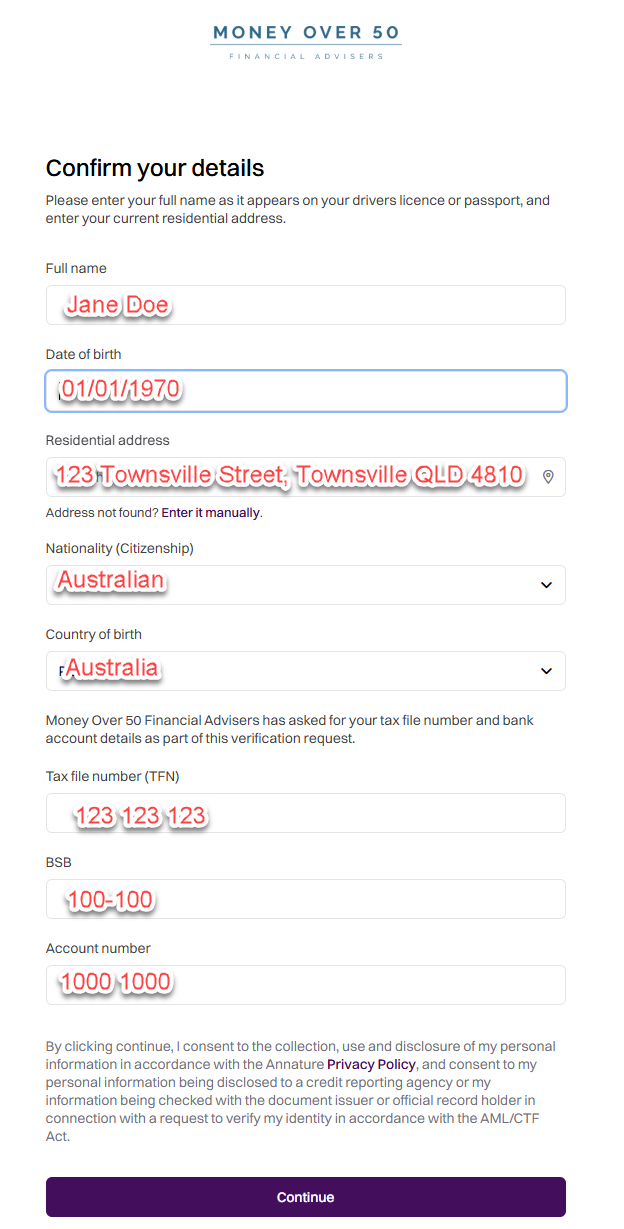
Step 3: Provide & confirm your personal details
- Input your personal details.
- Once completed, select "Continue"
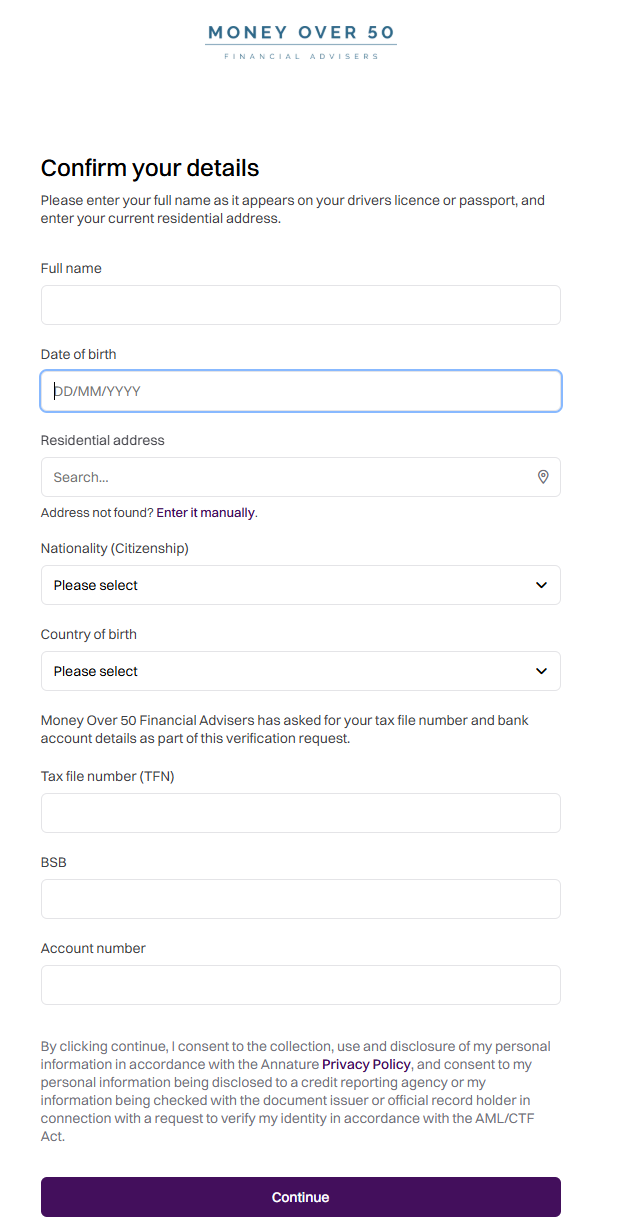
For example:
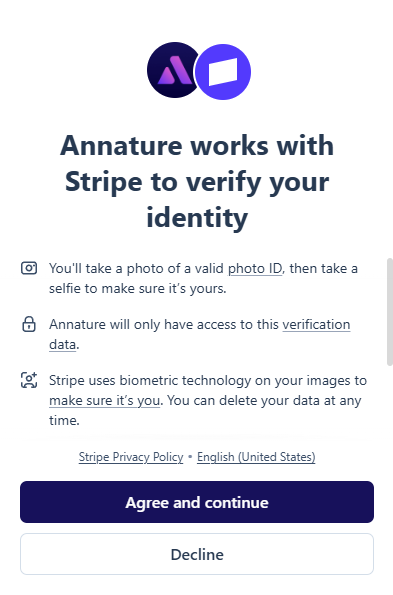
Step 4: Agree and Continue
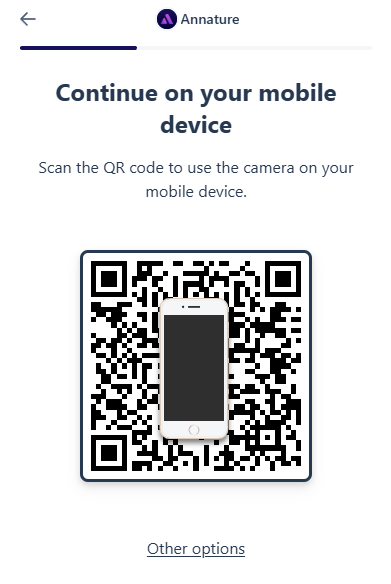
Step 5: Use your phone to complete ID verification
Step 1: Scan QR Code using your mobile phone
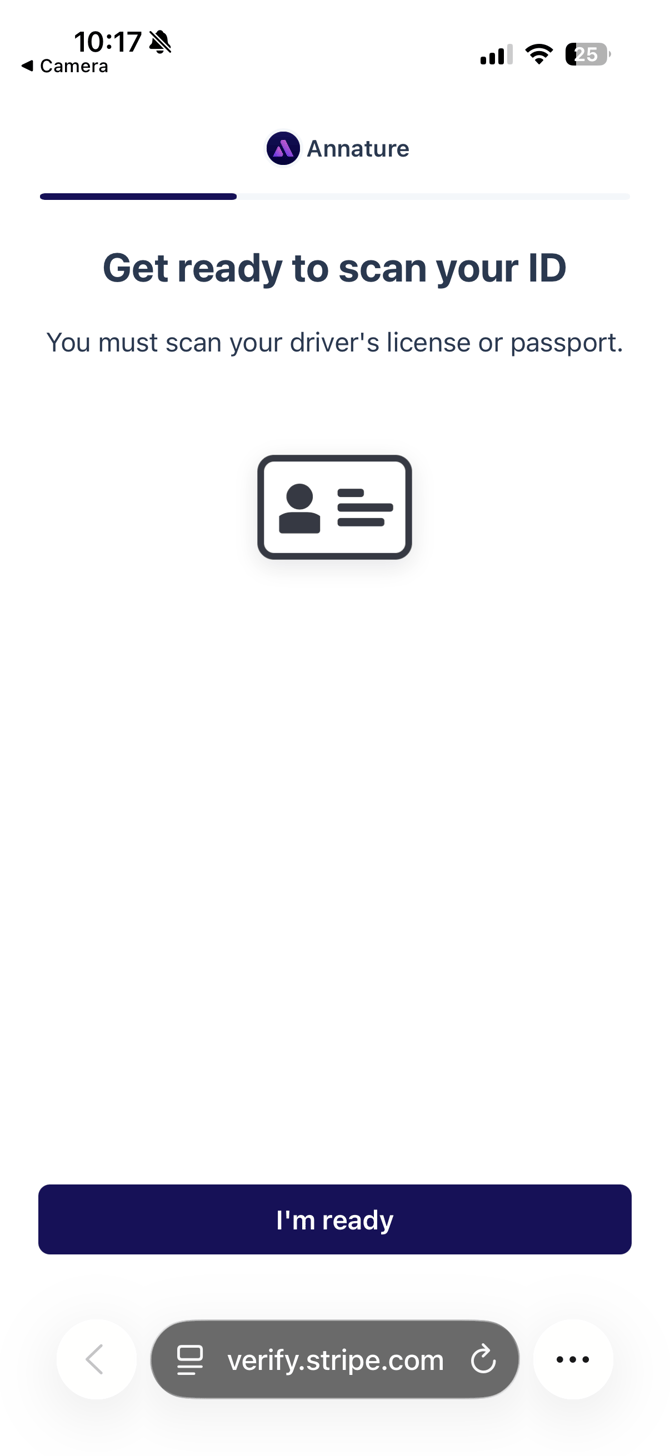
Step 2: Select "I'm Ready" to scan front & back of your valid ID
Step 3: Allow Camera access
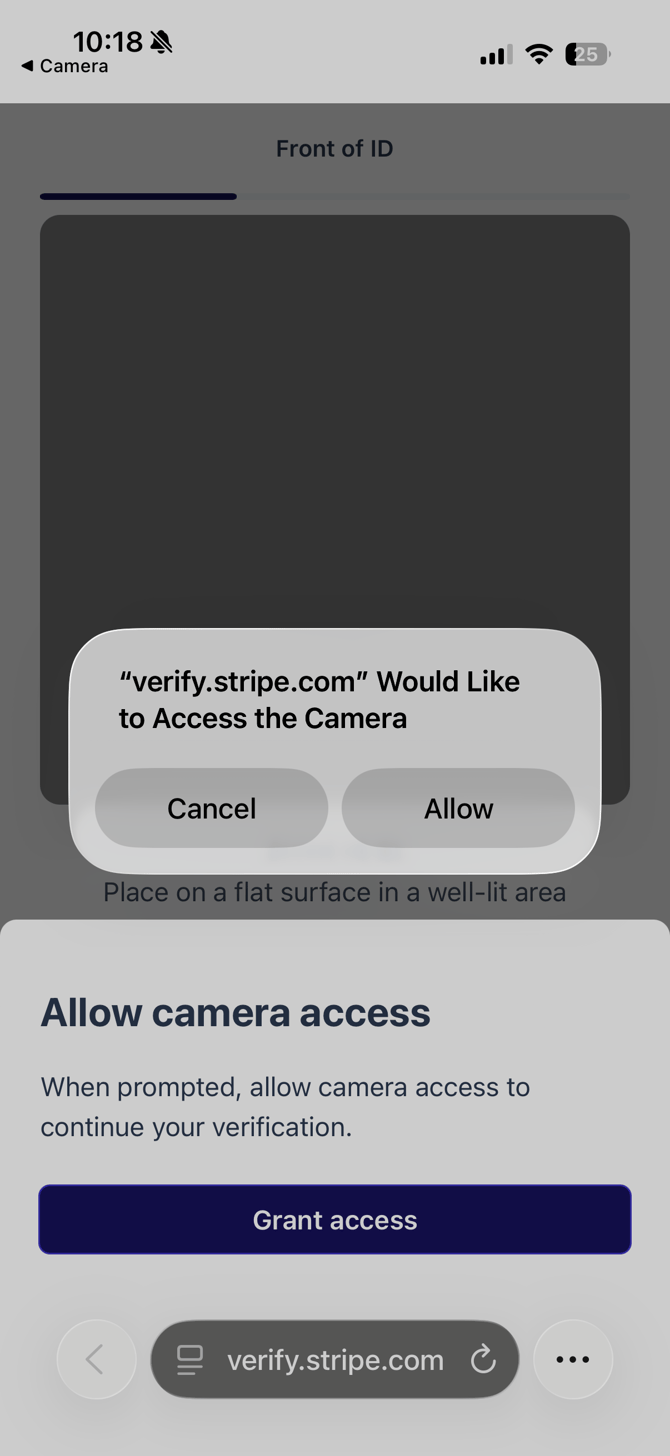
Step 4: Scan and upload front and back image of your physical ID as prompted.
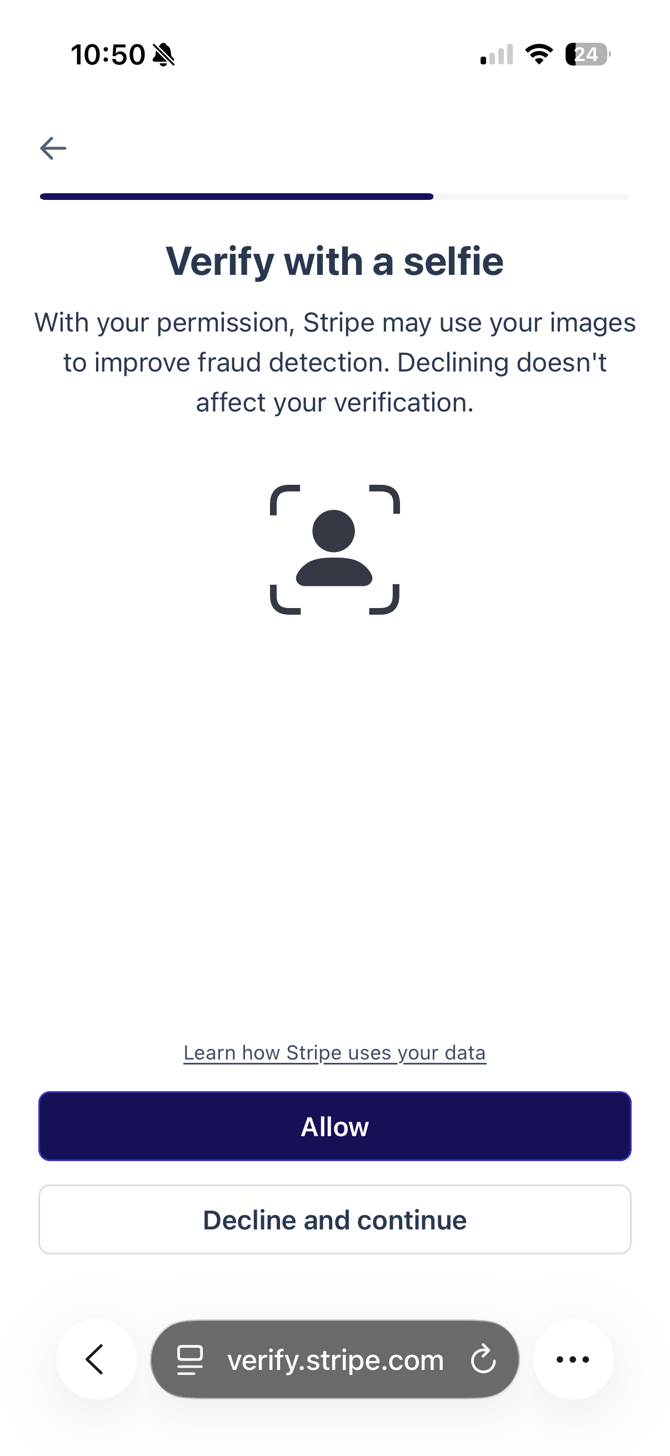
Step 5: Verify your ID with a selfie. This requires you to simply hold your face in circle shown and look slightly left and right. Select "Allow" and complete as prompted.
Step 6: Submit and you will have a confirmation that your details are being reviewed.
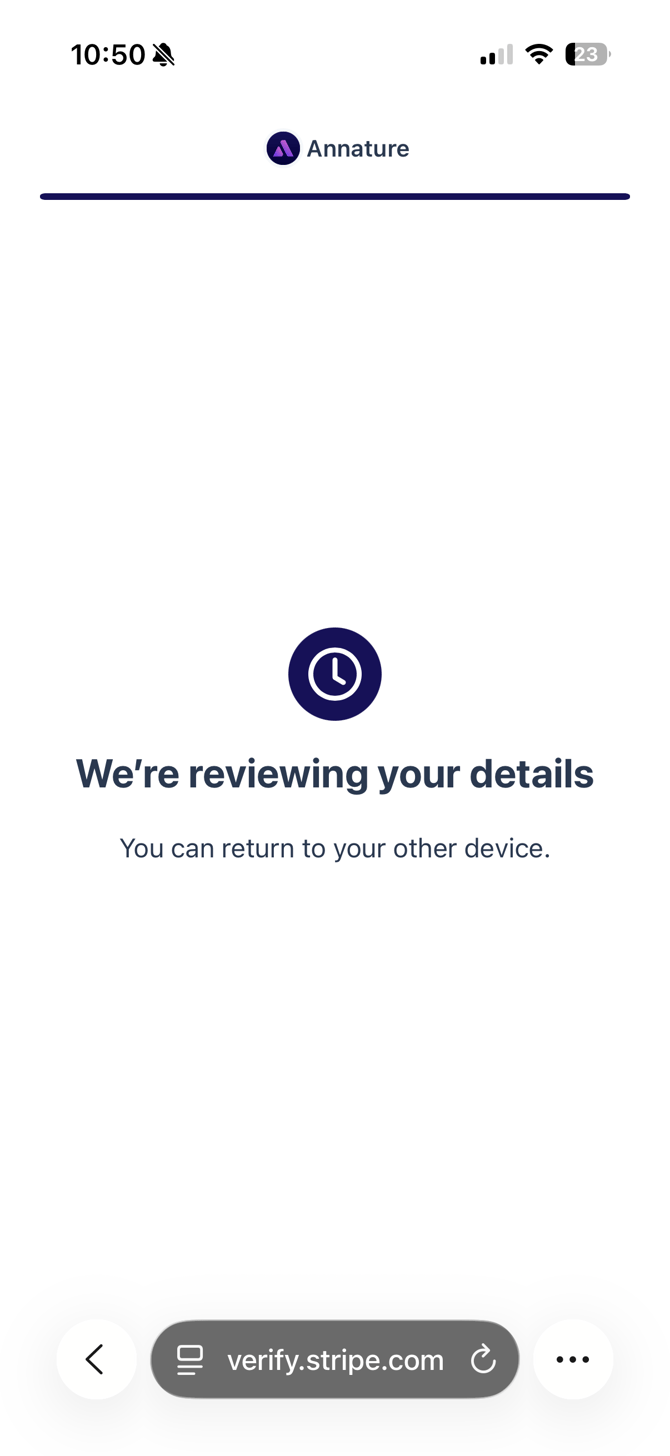
Step 6: On your web browser, you should have confirmation that you have completed the request and nothing further is required.